
 By
By The Shabiki paybill number appears in the key facts box below only once the operator itself confirms it. If the paybill line in that box is empty, no official source confirmed the number when we checked, and the safest deposit is the M-Pesa prompt from the Deposit button in your Shabiki account. A paybill typed by hand from a random website can send your money to the wrong business.
Deposit on Shabiki with the M-Pesa prompt
- Log in on shabiki.com from your phone; our Shabiki mobile guide covers the options.
- Tap Deposit and enter the amount in KES.
- Confirm. An M-Pesa request appears on your Safaricom phone.
- Check that the request names Shabiki, then enter your PIN.
- Wait for the M-Pesa SMS and refresh your balance.
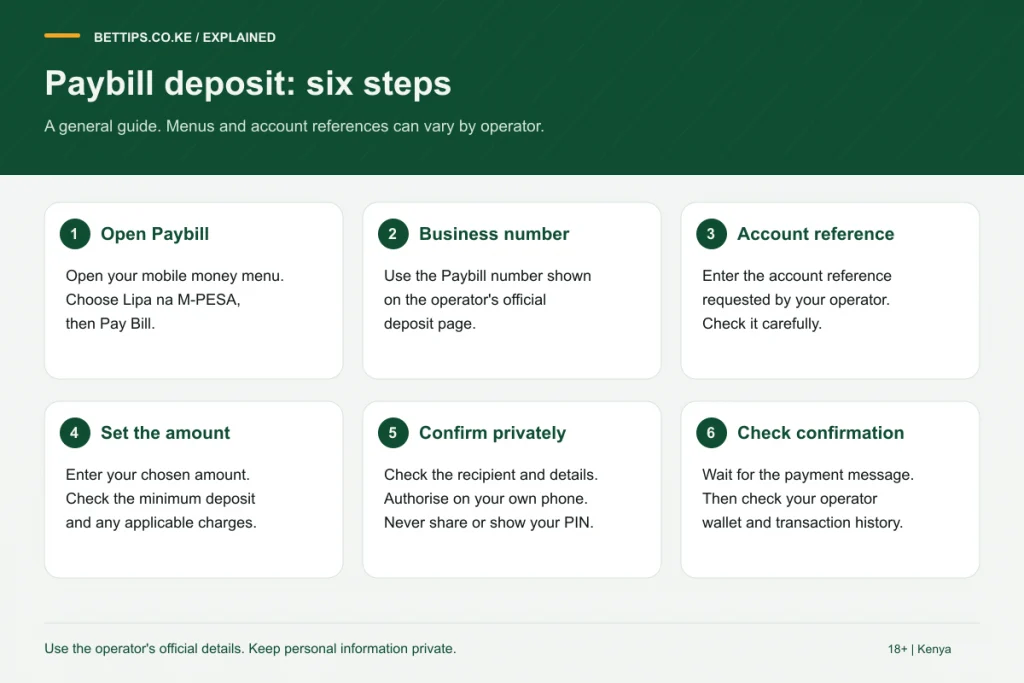
Paying through Lipa na M-Pesa
If you prefer the paybill route, take the business number from the deposit page inside your account, not from a blog. Then: M-Pesa, Lipa na M-Pesa, Pay Bill, business number, account number (usually your registered phone number, but follow what the deposit page says), amount, PIN. The confirmation screen should show the Shabiki business name; if it shows something else, cancel.
Why paybill numbers online disagree
Kenyan bookmakers change paybills from time to time, and in past crackdowns the regulator had paybills suspended. Lists on aggregator sites are rarely updated, which is why searches for a Shabiki paybill show different numbers. One number from an aggregator is widely repeated, but we could not confirm it with Shabiki, so we leave it out.
Shabiki withdrawal
Withdrawals go to the M-Pesa number registered on your account. Log in, open Withdraw, enter the amount and confirm, then wait for the M-Pesa SMS. The minimum, maximum and any charges are shown on the withdrawal screen. If a withdrawal is slow, check that your account details are complete and contact Shabiki customer care with the request time and amount.
Deductions on deposits and winnings
| When | What is deducted | Who does it |
|---|---|---|
| Deposit | Excise duty | The operator, automatically |
| Winnings | Withholding tax | The operator, before payout |
| Withdrawal | Mobile money charges, where they apply | Shown on screen |
Rates change with Finance Acts, so check the current figures on the deposit and withdrawal screens or in our betting tax guide.
Keep deposits in check
A one-tap prompt makes it easy to top up again after a loss. Set a deposit limit in your account settings or ask support to add one. Betting is for 18+ only. For other bookmakers with verified M-Pesa details, see our M-Pesa betting sites list, and for the full picture on the brand read the Shabiki review.
Frequently asked questions
What is the Shabiki paybill number?
We show it only when confirmed by the operator. If the key facts box is empty, use the Deposit button in your account or the number shown on the in-account deposit page.
What account number do I use for Shabiki paybill?
Usually the phone number registered on your account. Follow the instruction on the Shabiki deposit page.
How do I withdraw from Shabiki?
Log in, open Withdraw, enter the amount and confirm. The money goes to your registered M-Pesa number after tax and any charges.
I paid the wrong paybill. What now?
Contact Safaricom with the transaction code to ask about a reversal. Shabiki cannot credit money that went to another business.